How to Reset the Password on CHRMP
Step 1 : Go to the CHRMP Login Page:
Visit the CHRMP login page at https://academy.chrmp.com.
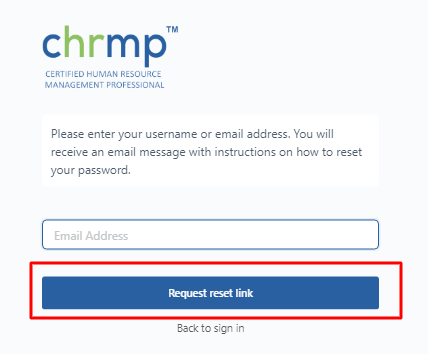
Step 2 : Click on "Forgot Password":
Step 3 : Enter Your Registered Email Address:
A new page will appear prompting you to enter your registered email address.
Step 4 : Click on "Request Reset link"
Step 5 : Go to your email inbox linked to your CHRMP account.
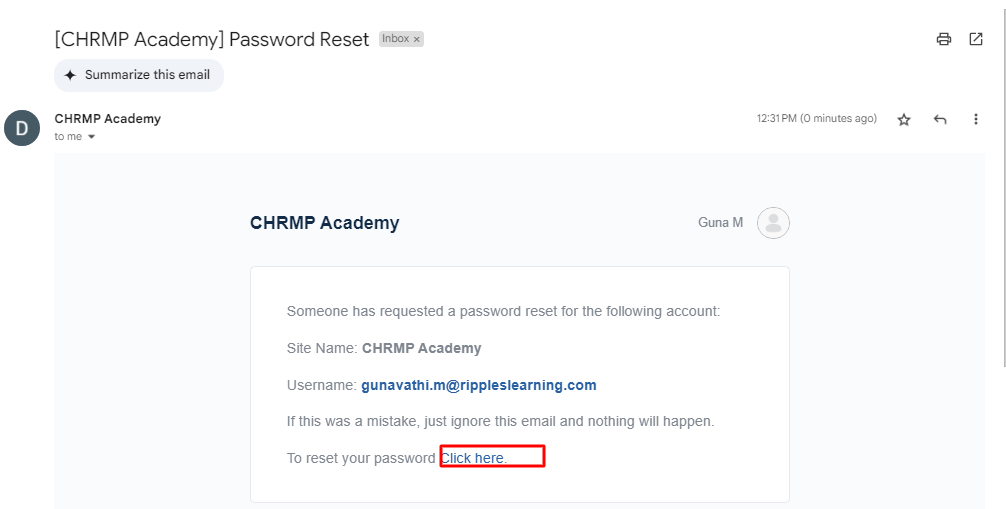
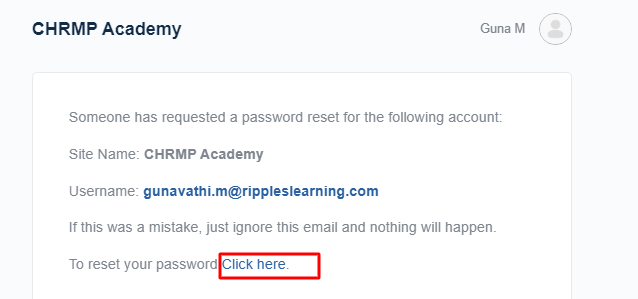
Step 6: Click on " Click Here"
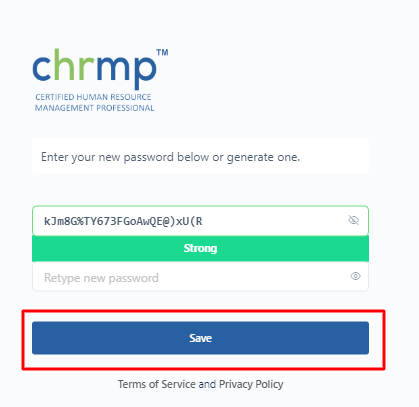
Step 7 : Create a New Password:
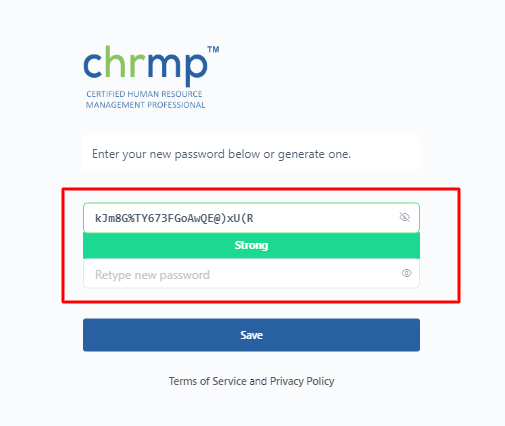
Step 8 : Save the New Password :
Step 9 : Login with the New Password:
Step 6: Click on " Click Here"
Step 7 : Create a New Password:
Step 8 : Save the New Password :
Step 9 : Login with the New Password:
Return to the CHRMP login page. Enter your registered email and the new password. Click "Login" to access your CHRMP account.
Troubleshooting Tips:
If you do not receive the password reset email within a few minutes, check your Spam/Junk folder.
Ensure that you are entering the correct registered email address.
If you continue to face issues, contact CHRMP support at [support@chrmp.com] for assistance.